AI Calling Agents
IVR vs AI Voice Agent: What Changes for Your Call Centre
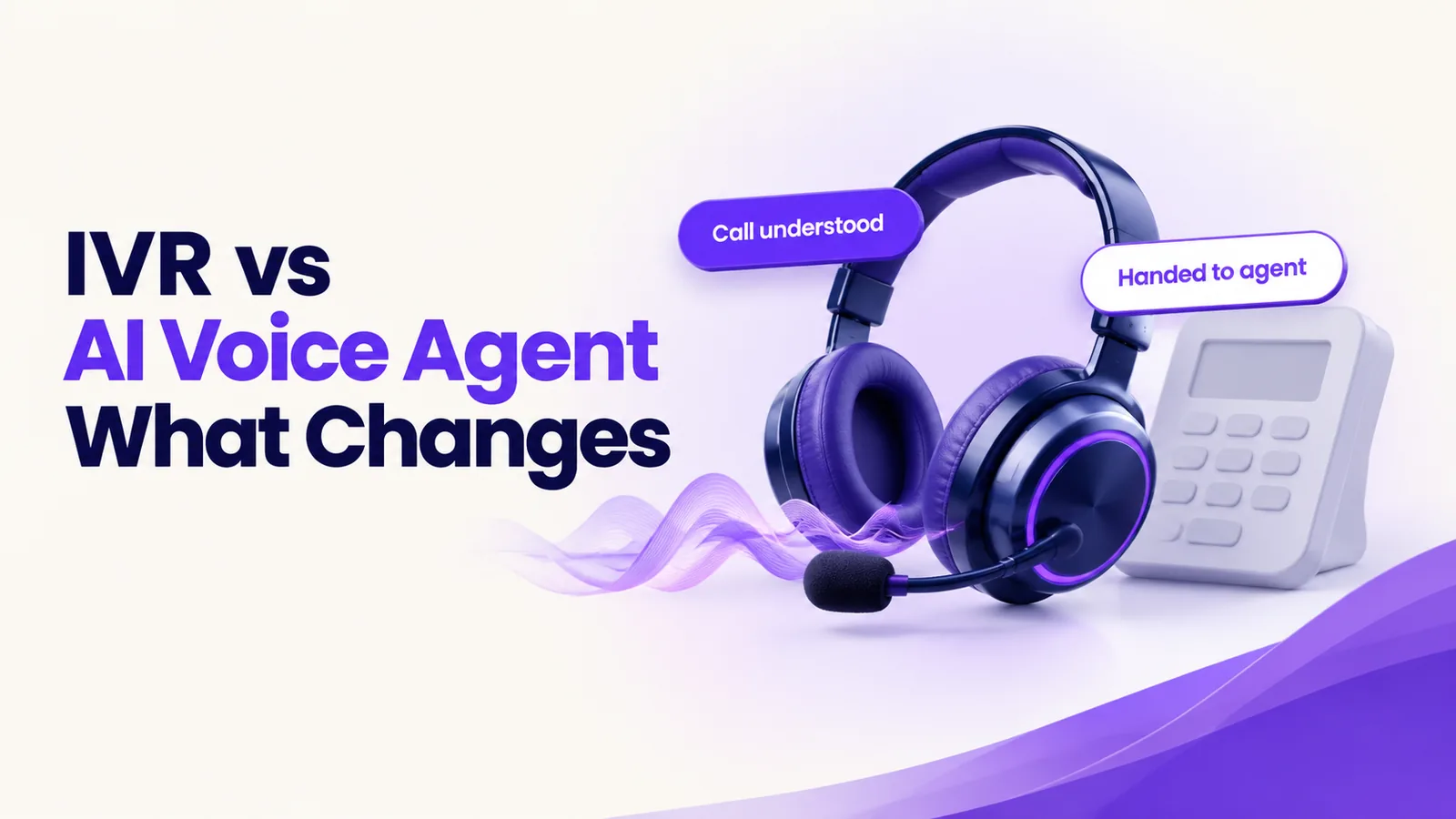
An IVR is a phone menu that routes callers by keypad or fixed voice commands. An AI voice agent understands natural speech, answers from your company's own knowledge, acts in your systems and hands over to a person with full context. For most call centres, the change is fewer transfers, round-the-clock cover and calls an IVR cannot make.
A customer rings her insurer about a late payment. A recorded voice offers five options. She presses two, then three, and reaches a third menu that does not match her question. After a wait in the queue, an agent answers and asks for her policy number, her name and the reason for her call. She has already keyed most of it in. She repeats it, is transferred to another team, and repeats it again.
This guide is for heads of customer service, call-centre managers and operations heads at mid-size European companies whose phone line still runs on a menu like this. It explains what changes with an AI voice agent, where an IVR is still enough, what can go wrong and how to move across without switching everything off at once.
What is the difference between an IVR and an AI voice agent?
An IVR (interactive voice response) is a phone menu that routes callers by keypad or fixed voice commands. It does not understand a question. It matches a key press or a set word to a path and sends the caller down it.
An AI voice agent is software that understands natural speech, answers questions from the company's own knowledge, takes actions in its systems, such as booking, rescheduling, checking status or qualifying a lead, and hands over to a person with full context.
The first routes. The second listens, answers and acts. If you want the basics first, read what an AI calling agent is and how it works.
What changes for the caller?
- Speaking, not pressing. The caller says why they are calling, in their own words. There is no menu tree to guess through.
- A direct answer. For routine questions, such as an order status or an appointment time, the agent answers on the call.
- Fewer transfers. The agent works out what the caller needs before anyone else is involved, so fewer callers land with the wrong team.
- No repeating. When a person takes over, they receive a written summary, so the caller does not start again.
- Any hour. A call outside office hours gets a useful reply, not a recording that asks the caller to ring back.
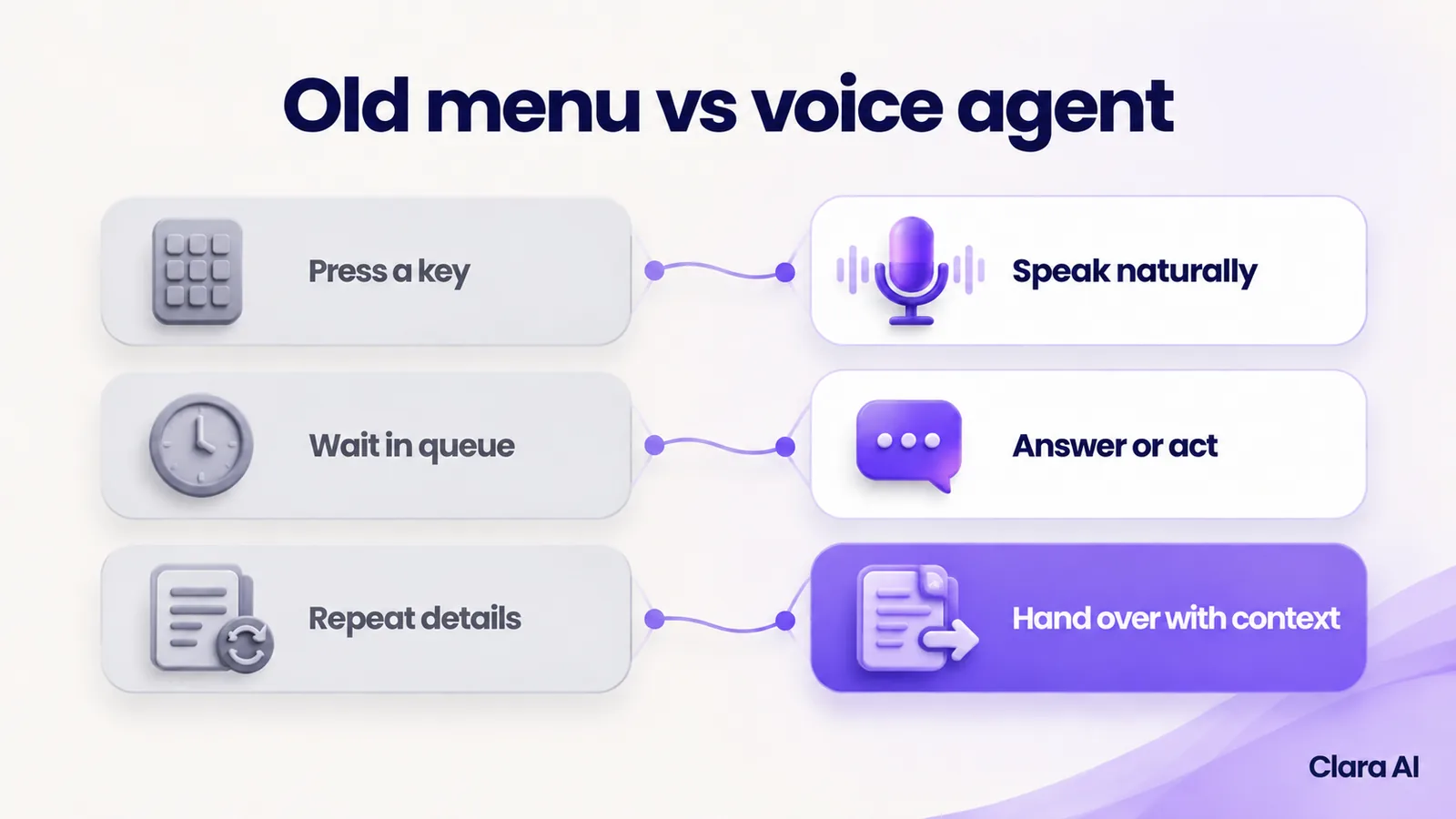
Callers also need to know what they are talking to. The agent says at the start that it is an automated assistant, and a route to a person is always available.
What changes for the call-centre team?
Your people spend less time on the same routine questions and more time on calls that need judgement.
- Fewer transfers. Calls reach the right team the first time, with the reason for the call already written down.
- After-hours cover. Evening and weekend calls are answered and logged, so Monday does not start with a backlog of voicemails.
- Outbound calls. An IVR can only answer. An AI voice agent can also make calls: appointment reminders, payment reminders, lead follow-up and feedback calls, to people who have given consent. Our guide to an AI calling agent for real estate lead follow-up shows one industry example.
- Calmer peaks. When volume spikes, routine calls no longer queue behind complex ones.
- Better records. Every call can be summarised and written to the CRM, so agents spend less time on notes.
None of this removes the need for people. It changes which calls they take.
IVR vs AI voice agent: how do they compare?
An IVR moves callers along fixed paths, while an AI voice agent holds a conversation and takes action. The table sets them side by side.
| IVR | AI voice agent | |
|---|---|---|
| How callers speak | Press keys or say fixed words | Speak naturally |
| What it can answer | Only what a recorded menu or fixed prompt covers | Questions covered by your approved knowledge, in plain speech |
| Actions it can take | Routes the call; simple look-ups at most | Books, reschedules, checks status, qualifies and updates the CRM through connected systems |
| Outbound calls | Not usually | Yes: reminders, follow-ups and feedback calls to people who have consented |
| After-hours cover | A menu or voicemail | A full conversation and action |
| Handover to a person | Transfer, often without context | Transfer or booked callback, with transcript and summary |
| Languages | A separate menu for each language | Clara AI's calling agents work in English and Hindi |
| Setup and changes | Fixed menu; changes mean re-recording and re-routing | Built on your knowledge and rules; changes are updates to those |
| What managers can see | Call counts, menu paths and queue times | Counts, plus transcripts, summaries and reasons for calling |
When is an IVR still enough?
An IVR is still a fair choice in two cases.
- Very simple routing. If every call only needs to reach one of two or three teams, and callers know which, a menu does the job.
- Tiny call volumes. If your line takes only a few calls a day, building an agent may not pay back.
An IVR can also stay as a fallback. Some companies keep a short menu for callers who prefer keys, with the voice agent as the front door. The question is not whether an IVR is bad. It is whether your callers' questions fit in a menu.
What are the real risks, and how do you manage them?
Every risk with an AI voice agent can be planned for before launch, as long as you test on your own calls.
- Accents and noisy lines. Speech recognition is good, but it is not perfect. A caller on a train or with a strong regional accent may be misheard. Test the agent on your own recorded calls, including noisy ones. Have it read key details back to the caller, such as names, dates and reference numbers, and offer a person after repeated misunderstandings.
- Wrong answers. The agent answers only from knowledge your team has approved. If the answer is not there, it says so and offers a person. Your team reviews transcripts regularly, and each wrong answer is fixed at its source.
- Poor handover. This is where many projects fail. Design it first: a named team, a live transfer in staffed hours, a booked callback outside them, and a summary attached every time. Test it before launch.
- Callers who want a person. They must get one, whenever they ask. Never build a loop with no way out.
- Unwelcome outbound calls. Call only people who have enquired and given their number. Use sensible hours and make opting out easy.
Where does a human stay in the loop?
The agent handles routine calls. People handle the rest:
- price discussions, offers and negotiation
- complaints and upset callers
- vulnerable or distressed callers, and any sensitive case
- anyone who asks for a person
- questions outside the approved knowledge
Your team also reads the call summaries. Where the agent struggled, the script or the source knowledge is corrected.
What do consent and the EU AI Act mean for AI calls?
Consent and data-protection rules apply to AI calls, including the GDPR and the EU AI Act's transparency rule, which says people must be told when they are talking to an AI system and applies from August 2026. Clara AI builds within them. This is not legal advice, so check your own plans with your legal adviser.
Can you see why people call, not just how many?
Yes. Every call can be transcribed and summarised into an operations intelligence dashboard. Managers see the top reasons for calling, the questions the agent could not answer, how many calls were handed over and how much demand arrives after hours.
An IVR report shows which menu keys people pressed, which is only a guess at why they called. A summary shows the reason in the caller's own words, so you can fix the cause, such as a confusing invoice, and not only staff for the symptom.
The same approved knowledge can also power an AI web chatbot, so a customer who types and a customer who calls get the same answer.
How do you move from an IVR to an AI voice agent, step by step?
Do not switch the menu off on day one. A staged plan keeps the risk low.
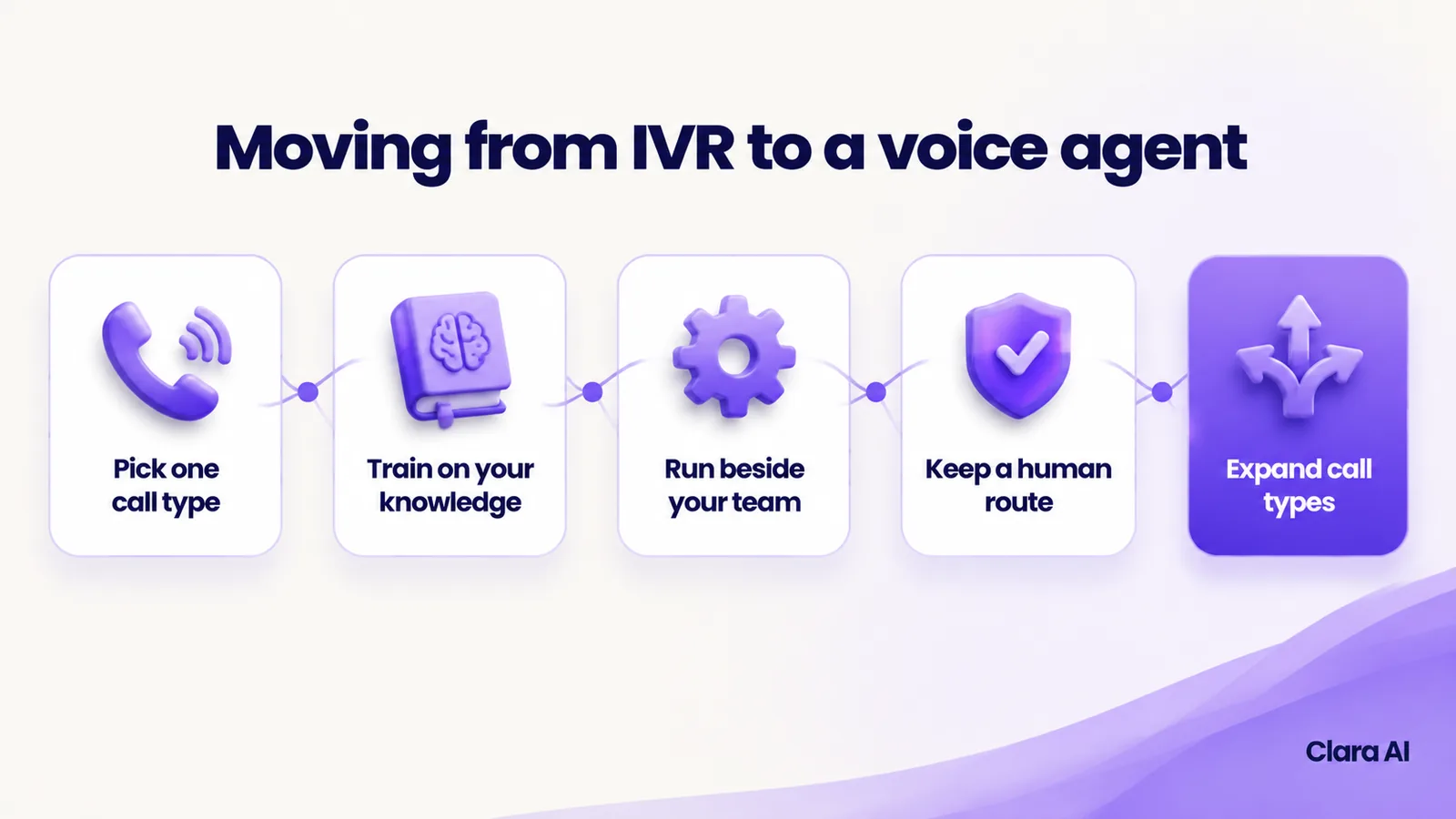
- Pick one call type. Choose something frequent, factual and low risk, such as appointment changes or order status.
- Train on your knowledge. Share your scripts, common questions and past call recordings. Your team approves what the agent may say.
- Run it beside your team. Route that one call type to the agent while the IVR and your people carry everything else. Listen to the calls and read the summaries.
- Keep a human route. At every stage, a caller can reach a person.
- Measure against the baseline. Compare transfers, repeat calls and time to resolution with the figures you took before you started.
- Expand call types. Add the next call type, then outbound reminders. Retire a menu branch only when the agent has proved itself on that call type.
Who has Clara AI built calling agents for?
Clara AI has built calling agents for Vijay Sales, an electronics retail chain; IDBI Bank, for high-volume banking outreach calls; and Aditya Birla Insurance Brokers, for multilingual policy and lead follow-up calls. These clients are in India, and Clara AI is now working with companies in Europe. We publish no results here, and your own build depends on your calls, systems and rules. See our client work.
How Clara AI gets it built
Clara AI builds, deploys and manages AI calling agents in six steps. Clara AI's calling agents and chatbots work in English and Hindi.
- Diagnose how calls are handled today. We map your menu, your queues, who answers what and where callers repeat themselves. We measure the baseline: transfers, repeat calls and after-hours calls.
- Collect your material. You share call scripts, common questions, your knowledge base and sample recordings. Clara AI delivers a first demo within 7 days of receiving your material.
- Agree the handover rules. Your team decides what the agent answers, when it transfers and who receives each type of call.
- Build and test on your real calls. Sample calls go through the agent, and every weak answer is corrected before launch.
- Run beside your team. The agent goes live on one call type while staff read the summaries and step in.
- Keep managing and improving. We track results against the baseline, add call types as the agent proves reliable and keep refining.
Questions call-centre teams ask about AI voice agents
How much does an AI voice agent cost compared with an IVR?
Cost depends on call volume, the call types, the languages and the systems the agent connects to. Clara AI sets the scope after a diagnosis and then shares a clear proposal.
How long does it take to go live?
Go-live depends on the call types, the number of connections to your phone system and CRM, and how quickly your team approves the handover rules. Clara AI confirms a timeline after diagnosis, based on your actual material.
Do we have to replace our phone system?
Usually not. The agent connects to your existing telephony, and the IVR can stay in place while you move call types across one at a time. The exact set-up is confirmed during diagnosis.
Will callers know they are speaking to an AI?
Yes. The agent says at the start that it is an automated assistant, and callers can ask for a person at any time.
Which systems can it connect to?
Typically your CRM, calendar, helpdesk and phone system, so bookings and call summaries appear where your team already works. The exact list is confirmed during diagnosis.